Stop Renting Your Email List.
Send campaigns, schedule your newsletter, and email every new blog post automatically. MarbleSend installs once on the hosting you already pay for, with no per-contact fees. Your subscribers stay on your server.
What is your list costing you?
At 10,000 contacts, a typical email service charges roughly $100 to $150 a month. That is $1,200 to $1,800 a year to email people who already signed up with you.
Typical email service
You pay every month, based on how many contacts are in your account. Some services bill for unsubscribed contacts, too.
Each new subscriber raises the bill, and the bill repeats every month.
MarbleSend
You buy the license once. Keep 500 contacts or 50,000 on the same hosting plan; the software price stays the same.
Your running costs are hosting (about $3 to $10 a month) plus sending: $0 through your host's SMTP, or about $0.10 per 1,000 emails through your own Amazon SES account.
*Illustrative. Based on published prices of popular email services in October 2026 and typical shared-hosting plans. Your numbers will differ.
Try your own numbers
Illustrative estimate from typical published prices. Your provider may charge more or less.
Email service / mo
Your hosting / mo (est.)
Saved per year
Runs on the hosting you already pay for
No VPS, no Docker, no SSH. Most hosts that run modern WordPress can run MarbleSend.
Four steps from purchase to first send, usually 10 to 15 minutes
Make a database
Create an empty MySQL database in cPanel or hPanel.
Upload install.php
Your license email links to the installer. Put it on your domain with File Manager or FTP.
Run the installer
Open it in your browser, enter your license key, and follow the setup steps.
Add one cron job
Paste the command the installer shows you. After that you can send.
What your hosting needs
- check PHP 8.2 or newer
- check MySQL 8.0+ or MariaDB 10.6+
- check One cron job
- check Outbound SMTP (your host's mail or Amazon SES)
Tested on Hostinger. Any standard LAMP host (cPanel, Plesk, DirectAdmin) that meets this list should work. No Node.js, Redis, or Docker involved.
Want the whole walkthrough first?
The Install Guide covers cPanel and Hostinger, database setup, cron, and troubleshooting.
menu_book Read the Install GuideWhat MarbleSend does for you
Sends survive a crash
The queue lives in your database. If the server restarts mid-send, the worker picks up where it stopped.
Stays inside your host's limits
A cron-driven worker sends at a pace your host's SMTP allows, so your account is less likely to get flagged.
Checks your DNS for you
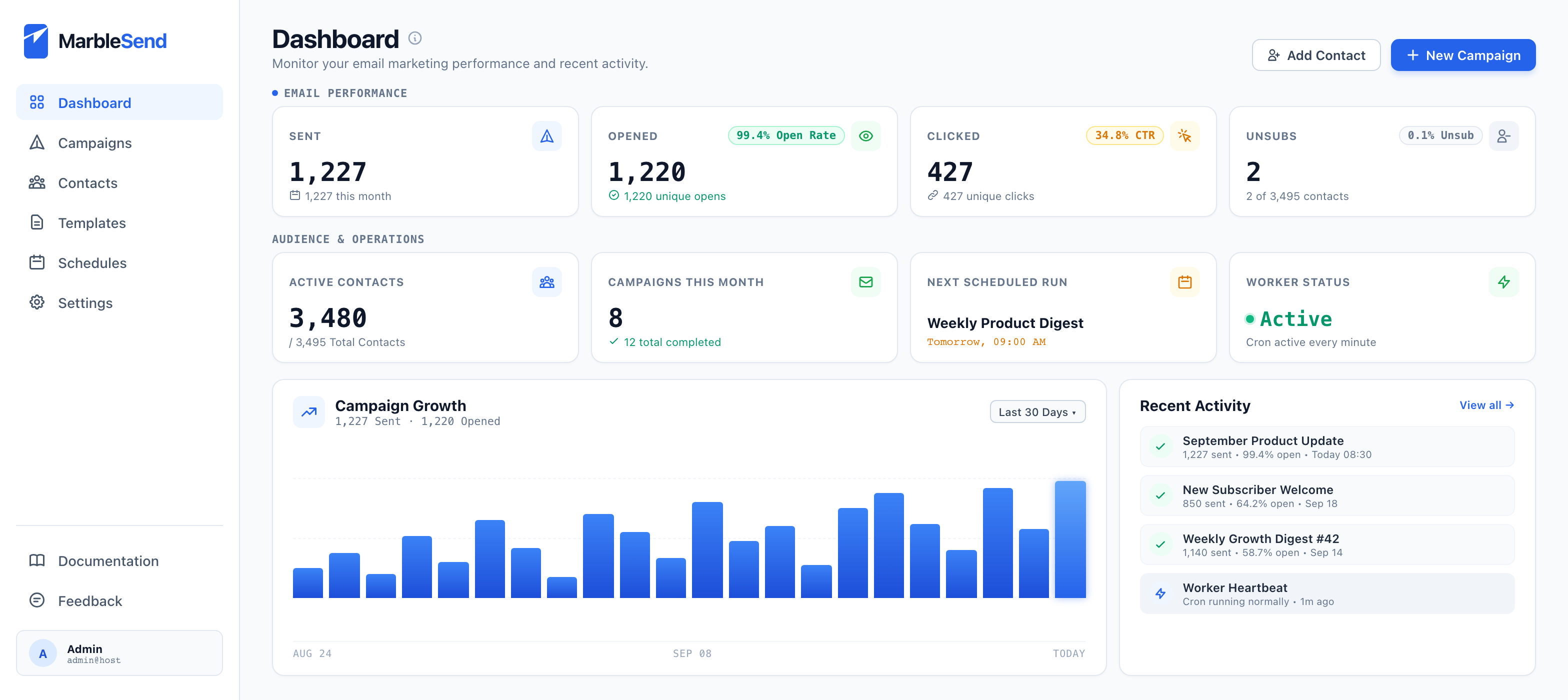
The Deliverability Checker reads your SPF, DKIM, and DMARC records and gives you the exact fixes to copy. It can't promise inbox placement, but it clears up the usual setup mistakes.
Locks down the admin
Two-factor login with a QR code made on your own server, Cloudflare Turnstile on signup forms, login lockout with email alerts, and tracking links signed with HMAC-SHA256.
Writes first drafts
Add your own AI key (OpenAI, Anthropic, DeepSeek and others) at no markup, or use built-in AI credits. You start with 10 free.
Speaks 21 languages
The interface comes in 21 languages, including right-to-left Arabic.
Turns articles into a newsletter
Write in the Markdown editor and let a schedule send each article once, never twice, and nothing when there is nothing new. Email only; there is no public archive.
Groups your contacts
Put contacts into groups (one contact can be in several) and send to exactly that group. Groups are lists you build, not auto-updating segments.
Grows from WordPress
The official plugin adds signup forms and connects WPForms, Forminator, Fluent Forms, Formidable Forms, and Contact Form 7. New signups land in your default group.
Also included: bounce handling and suppression, double opt-in with a consent log, a pre-flight checklist before every send, a REST API, and outbound webhooks.
Host limits your daily emails? Turn on the managed Amazon SES relay.
That cap comes from your host and applies to every app on it. In Settings you can connect another SMTP provider, or switch on the managed relay. Friendly From needs no DNS changes. A custom sender domain needs 3 CNAME records, which you verify in one click. You get 20 free sends to try it, and more come in prepaid packs.
From the app
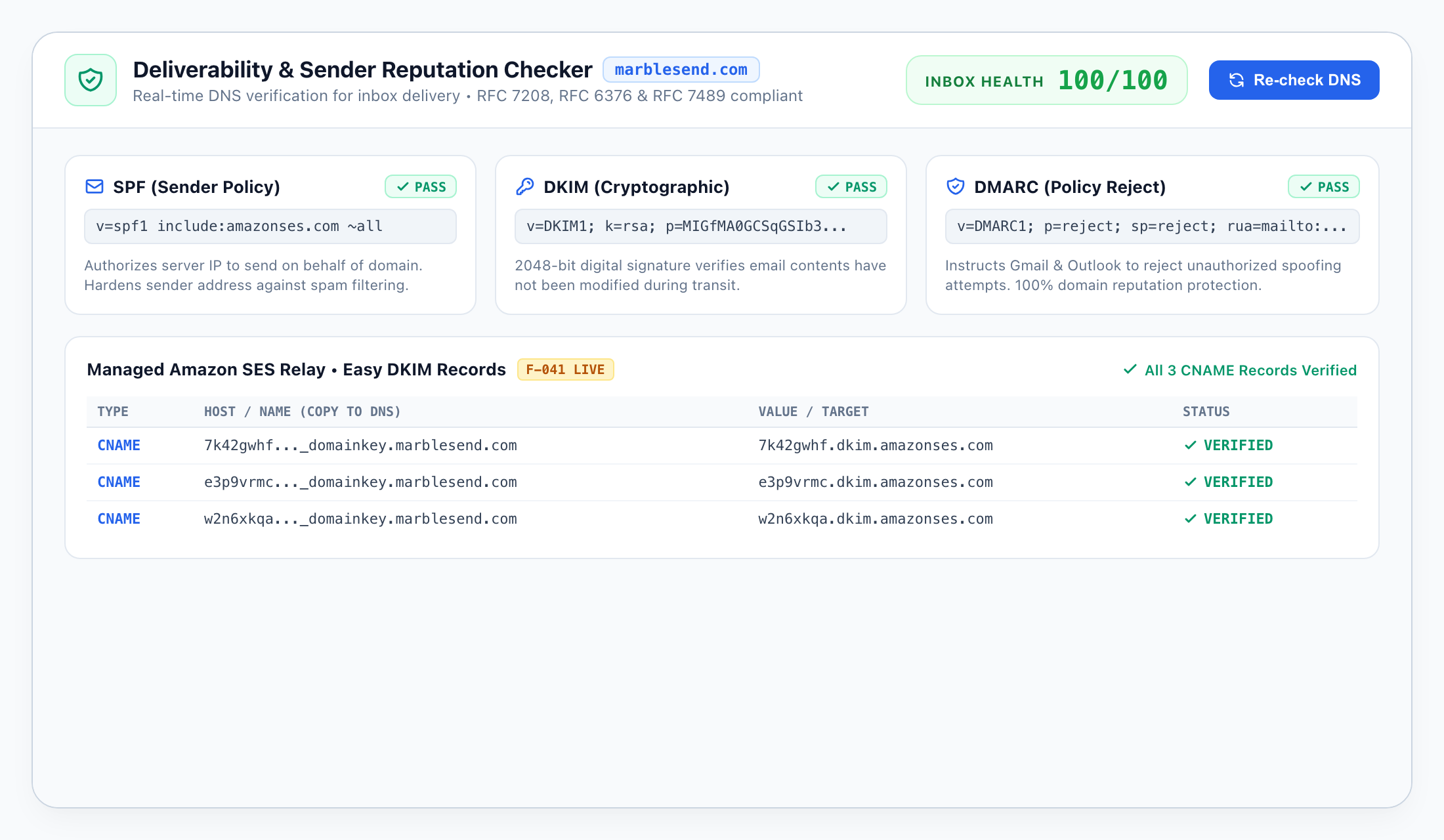
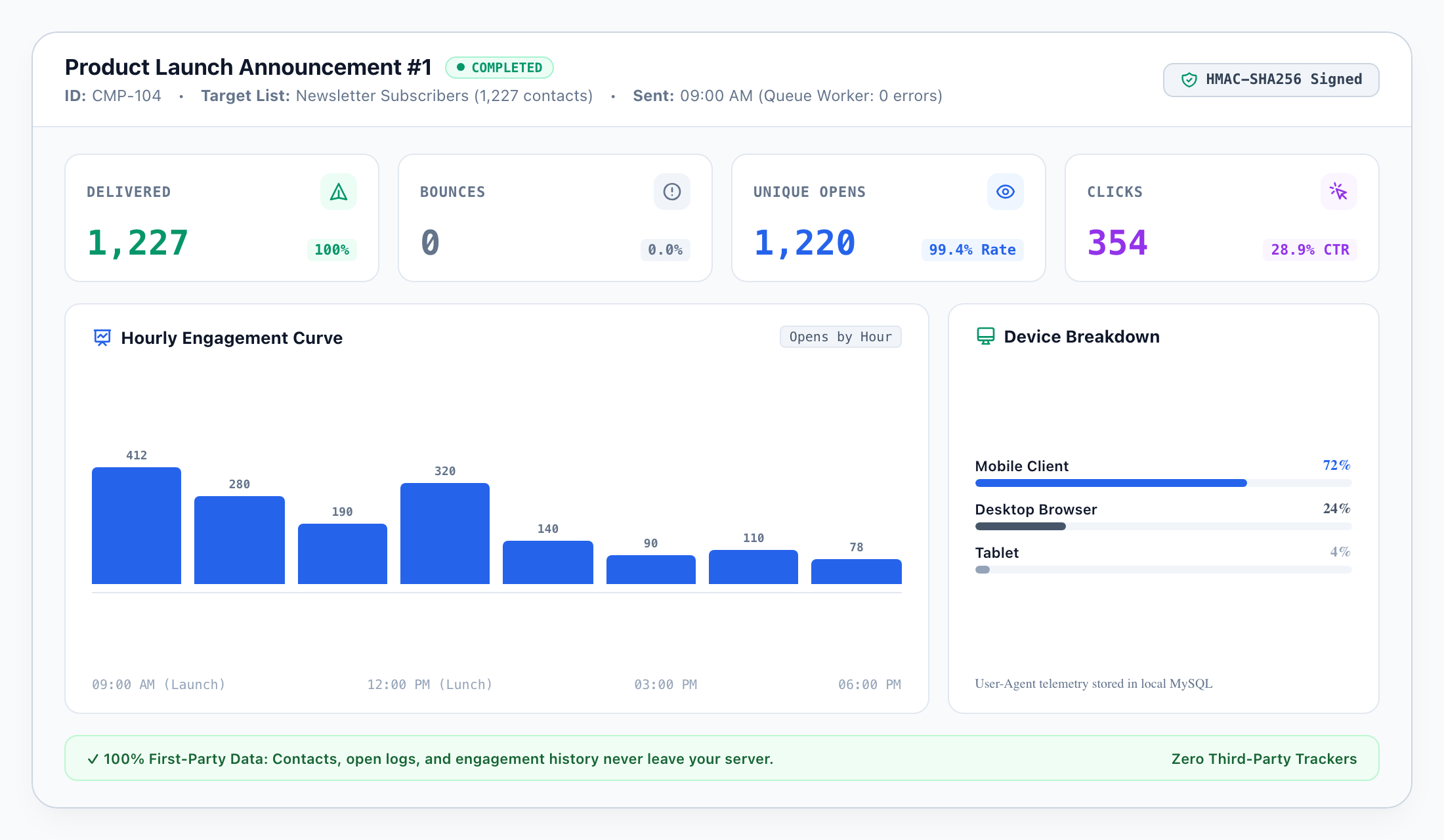
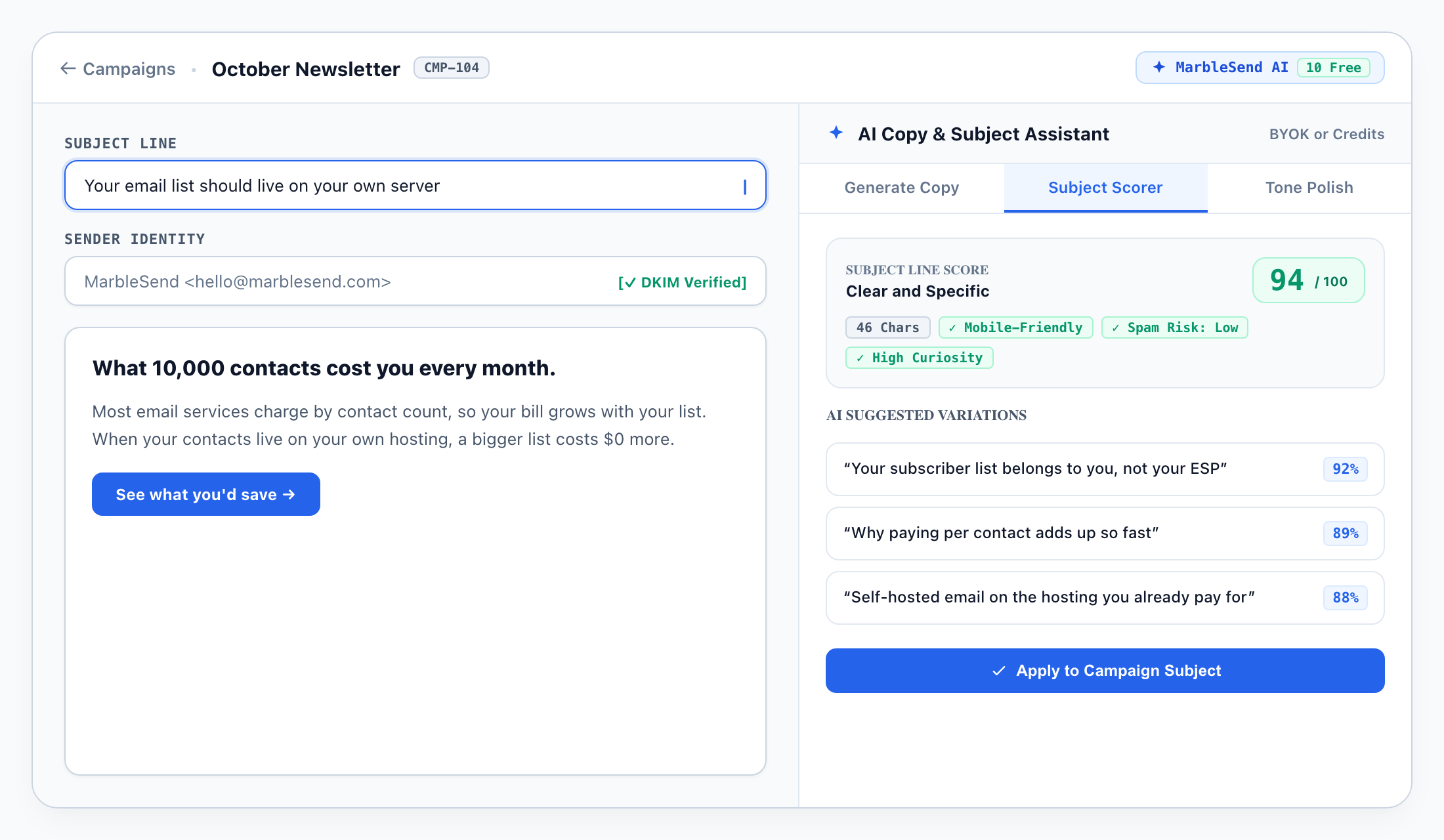
How MarbleSend compares
| How MarbleSend compares | Email services (Mailchimp, Brevo) | Other self-hosted (Mautic, Sendy) | MarbleSend |
|---|---|---|---|
| How you pay | Monthly, by contact count | Free or one-time | One-time license |
| Where your data lives | The vendor's servers | Your server | Your server |
| Runs on shared hosting | Not applicable (cloud) | Varies (Mautic needs a VPS) | Yes |
| Built-in AI copywriting | Paid tier or add-on | Usually no | Yes: your key or built-in credits |
| Interface languages | A handful | Varies by project | 21 |
How you pay
- Email services (Mailchimp, Brevo)
- Monthly, by contact count
- Other self-hosted (Mautic, Sendy)
- Free or one-time
- MarbleSend
- One-time license
Where your data lives
- Email services (Mailchimp, Brevo)
- The vendor's servers
- Other self-hosted (Mautic, Sendy)
- Your server
- MarbleSend
- Your server
Runs on shared hosting
- Email services (Mailchimp, Brevo)
- Not applicable (cloud)
- Other self-hosted (Mautic, Sendy)
- Varies (Mautic needs a VPS)
- MarbleSend
- Yes
Built-in AI copywriting
- Email services (Mailchimp, Brevo)
- Paid tier or add-on
- Other self-hosted (Mautic, Sendy)
- Usually no
- MarbleSend
- Yes: your key or built-in credits
Interface languages
- Email services (Mailchimp, Brevo)
- A handful
- Other self-hosted (Mautic, Sendy)
- Varies by project
- MarbleSend
- 21
A general summary of how these products are usually sold and run. Check each vendor for current details.
What you get for $59
Every license includes the whole product. No feature is held back for a higher tier.
In the Regular license
- check_circle The complete MarbleSend source code (PHP), yours to run on your own hosting
- check_circle An installer that downloads and verifies the signed release for you
- check_circle 1 domain, 2 SMTP profiles, and 1 managed Amazon SES relay slot
- check_circle 20 free relay sends and 10 free AI credits to start
- check_circle WordPress plugin with 5 form-plugin integrations, a REST API, and webhooks
- check_circle Interface in 21 languages, including right-to-left Arabic
- check_circle 1 year of updates and support (Extended: 2 years)
- check_circle Install Guide and documentation, free to read before you buy
For comparison, a 10,000-contact list on a typical email service costs roughly $1,200 to $1,800 a year (illustrative).
14-day refund guarantee 14 days
Install it on your own hosting. If it won't run, or it just isn't for you, ask for a refund within 14 days and you get 100% back, tax included. Your database and your CSV exports stay yours.
A person reviews every request. You get the answer by email, with a reason if we can't approve it.
Pick your license
Regular
For one business, blog, or brand.
- check_circle Runs on 1 domain, permanently
- check_circle 2 SMTP profile slots and 1 Amazon SES relay slot
- check_circle 20 free relay sends and 10 free AI credits
- check_circle 1 year of updates and support
verified 14-day refund
Extended
For anyone running several sites, or sites for clients.
- check_circle Runs on 5 domains, permanently
- check_circle 10 SMTP profile slots and 5 Amazon SES relay slots
- check_circle Everything in Regular
- check_circle 2 years of updates and support
verified 14-day refund
Extra Domain
Add one domain to a license you already own.
- check_circle +1 domain
- check_circle +1 SMTP profile slot and +1 Amazon SES relay slot
- check_circle Matches the update period of your base license
verified 14-day refund
Moving to a new domain? Activating it releases your oldest domain automatically.
Look before you buy
Optional extras
Bring your own SMTP server and AI key and you never need these. They add convenience and capacity.
Questions before you buy
What will this cost me in total? expand_more
I'm not technical. Can I install this myself? expand_more
What if it doesn't work on my hosting, or I change my mind? expand_more
My host limits how many emails I can send per day. Is MarbleSend still useful? expand_more
Will my emails land in spam? expand_more
Is it safe to run email marketing on shared hosting? expand_more
I use Mailchimp today. Is moving a big project? expand_more
What happens to queued emails if my server goes down? expand_more
Can I run a Substack-style newsletter? expand_more
What happens after the update period ends? expand_more
Own your list.
$59, once.
Install it on your hosting, import your contacts, and send. If it isn't right for you, you have 14 days to get your money back.
error